How Commercial Cleaners Build a Call List Without Scraping Google Maps
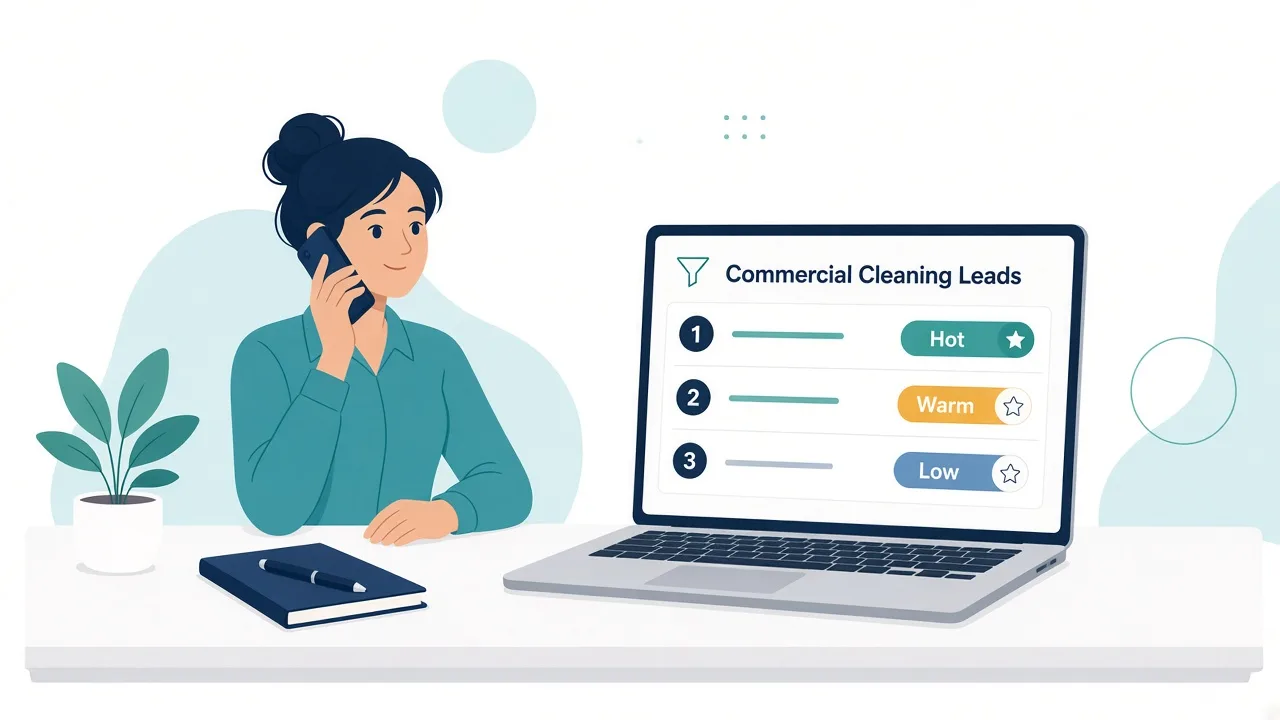
Commercial cleaning leads work better as a ranked call list than as a pile of Google Maps copy-paste. If you still build commercial cleaning call lists by hand, you already know the cost: hours of tabs and rows before the first good call.
This guide shows how to build that list faster and call the strongest prospects first. Below: what a good prospect looks like, how preview and unlock work, how Hot vs Warm scoring sets call order, and a simple weekly routine.
Quick Answer: Build a commercial cleaning call list
- Pick one city and 1 or 2 business types you win.
- Collect candidates in one place (skip Maps tab hopping).
- Rank by reachability and fit, not size.
- Preview free; unlock only what you will call this week.
- Work Hot first, log outcomes, refill next week.
Why Google Maps copy-paste burns time
Google Maps helps you find a business. It does not help you build a call list.
Where the hours go:
- Tab hopping. Every business is its own page. You open, copy, close, and repeat.
- Half-finished rows. Some listings show a phone but no website. Some have an old address. You learn that when you call.
- No rank order. Maps sorts for visits, not sales calls. Your spreadsheet keeps that random order.
- Scattered notes. Call outcomes end up on sticky notes, in your phone, or in your head.
Many owners spend more time building the list than calling it. By the time the list is ready, the calling block is half gone.
You need a short list of local businesses that fit your work, with the strongest prospects at the top. A call list you can finish this week.
What a "good enough" commercial prospect looks like
You need a prospect you can reach, that is clearly a real business, and that matches the work you already do well.
- You can reach them. A working phone number is the minimum. A website helps you check what they do before you call. A full address shows whether they sit inside your service area.
- They look established. A complete listing, a solid rating, and a decent number of reviews usually point to real square footage and a real cleaning budget. A listing with no reviews and no website may be closed, brand new, or a home office.
- They fit your service. Offices, medical and dental clinics, gyms, and property managers are common targets for recurring commercial cleaning. Lead with the types you already have references for.
- Email helps when you have it. Many commercial cleaning deals start with a phone call to the front desk. An email on file is useful. It is not a reason to skip a strong prospect you can call.
A good lead is reachable, established, and a fit for your service. It does not have to include an email address.
Preview vs unlock (without overpromising emails)
CleanServiceLeads splits list-building into two steps so you spend unlocks on businesses you will call.
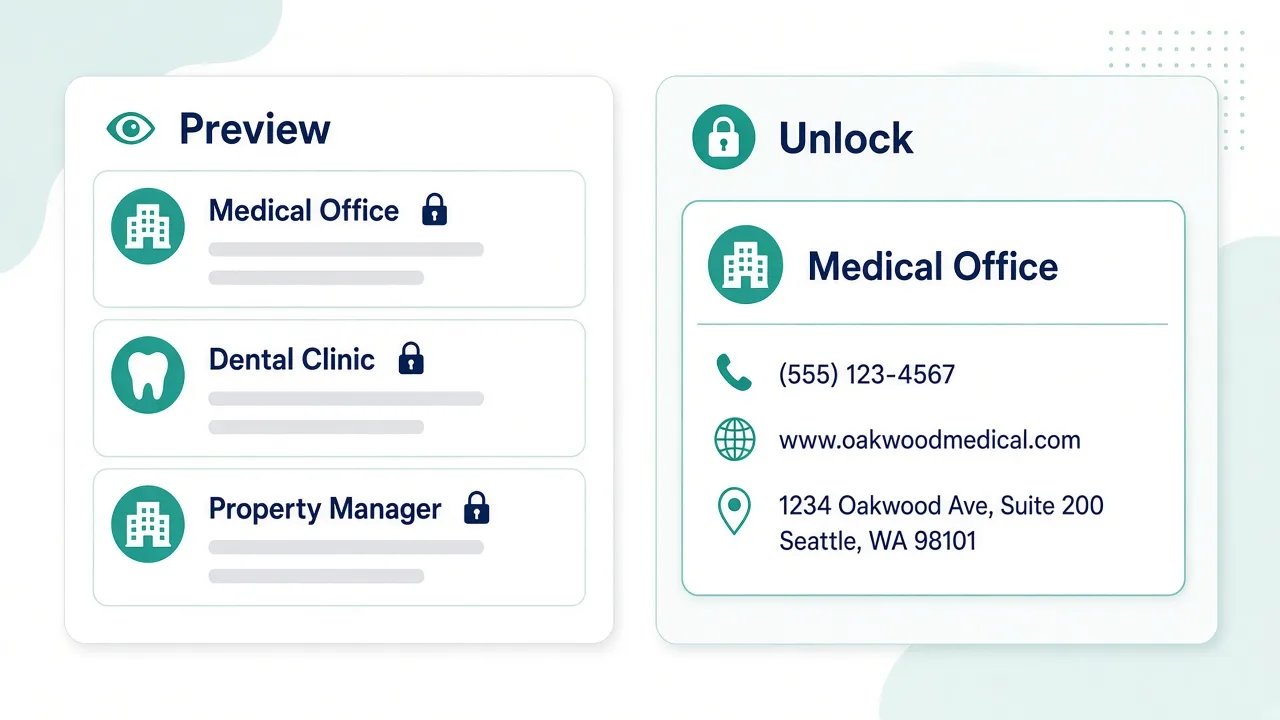
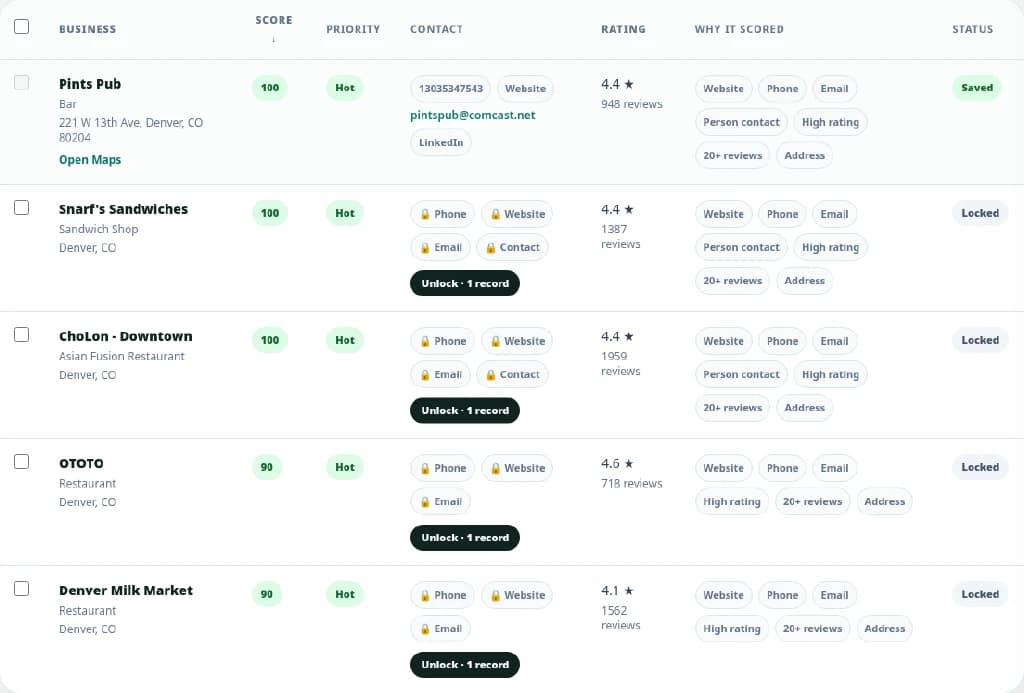
Preview is free. Search by city and business type. Browse results ranked by lead score. You see the business and its score. Contact details stay hidden. Shortlist here.
Unlock reveals the contact details. Unlock a business and you get the phone, website, and address on file. If an email or a contact person is on file, you get that too. One unlock covers one business, and the lead is saved to your pipeline.
The locked Email or Contact tag. Some results show a locked Email or Contact tag before you unlock. That tag means the detail is on file and hidden until you unlock. No tag means plan on calling, not emailing.
Enrich contacts is on paid plans. Looking up an email and a contact person is included on Founding and Pro. Free search does not request contact enrichment. Free lets you test the routine on your own city: 25 unlocks per month and up to 25 saved leads, with no credit card required.
Every unlock gives you a way to call or visit. Some also give you an email or a named person. Treat those as a bonus.
How scoring and Hot vs Warm help call order
A long list wastes time if you call in the wrong order. The lead score sets that order.
Every lead gets a score from 0 to 100 and a label:
- Hot: 75 and up
- Warm: 45 to 74
- Low: under 45
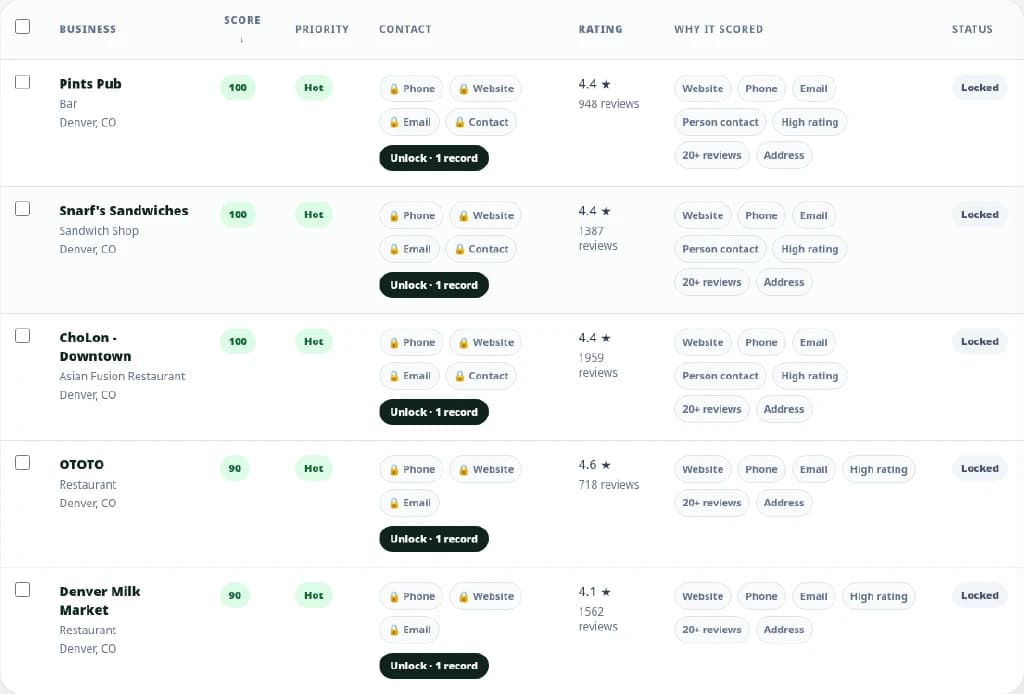
The score favors businesses that are easy to reach and well established. Signals include a listed phone, a website, a full address, a rating of 4.0 or higher, 20 or more reviews, an email on file, and a contact person.
A full public listing scores 70 (Warm). An email on file adds 20 points. A person contact adds 10. Either one can lift a strong listing into Hot.
Hot does not mean "has email." A lead can be Hot with a full listing and a named contact person, and still have no email. Hot tells you who to dial first. It does not tell you which channel you will use.
How to use the labels this week:
- Call Hot leads first.
- Work Warm leads next. A Warm lead with a full listing is often still worth a call. It just lacks the extra contact detail.
- Treat Low leads as backup. They often miss basics like a website or reviews, so check them before spending an unlock.
The score does not promise a signed contract. It keeps your best calling hour on your strongest prospects.
A simple weekly routine
Keep the same few steps each week so you always have people to call.
Monday: search and shortlist (20 to 30 minutes)
Pick one city or service area and one or two business types. Run the search. Scan the preview by score. Shortlist businesses that fit your service and area. Preview is free, so be picky.
Tuesday: unlock what you will call this week
Unlock the top of your shortlist, starting with Hot leads. Only unlock what you can call this week. On Free you have 25 unlocks a month, so spread them across the month.
Wednesday and Thursday: call blocks
Block one or two hours. Call Hot first, then Warm. Check the website for one useful detail before you dial (locations, space type, office hours). If a contact person is on file, ask for them by name.
After every call: update the pipeline
Every unlocked lead lands in your pipeline. Move each one to the right status:
- Saved: unlocked, not called yet
- Contacted: you reached them
- Follow Up: they asked you to call back, or you need to send a quote
- Ready: the lead is moving toward a deal (define this the way your crew works)
- Not a Fit: wrong size, wrong area, or already locked into a contract
Add a short note after each call. "Spoke to office manager, contract renews in March" beats a full spreadsheet of untouched rows.
Friday: clean up and plan next week
Check Follow Up leads and put callbacks on your calendar. Move dead ends to Not a Fit. Start Monday from a clean list.
To run this routine in the product, start free and try it on your own city.
Final checklist: commercial cleaning call list
- Choose one city or service area and one or two business types you already win.
- Shortlist from the free preview before you unlock anything.
- Unlock only the leads you will call this week.
- Call Hot (75 and up) first, then Warm. Hot does not mean an email is on file.
- Log every outcome in your pipeline (Saved, Contacted, Follow Up, Ready, Not a Fit) and refill the list next Monday.
Start building your call list
Search your city, preview the ranked list for free, and call the strongest prospects first. Free includes 25 unlocks per month, no credit card required.
Start free